
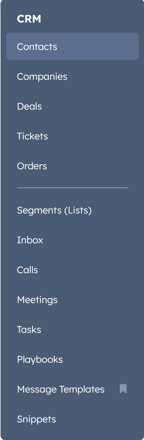
Step 1: In HubSpot website, log in and go to CRM - Contacts on the side bar.
Step 2: Be sure to choose the correct View that you are wanting to send your sequence to. If you don't have your views set up, contact Airline's HubSpot help (Jess, Todd H, Nick) 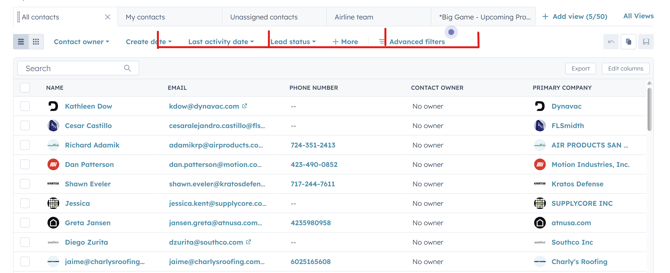
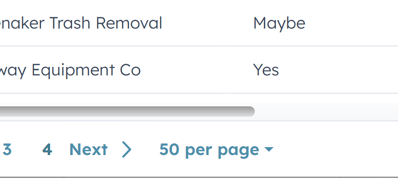
Step 3: At the bottom of the page, change "amount per page" to 50. If it is at 100 per page it won't work.
Step 4: Check the top left square marking all 50 contacts on the list. 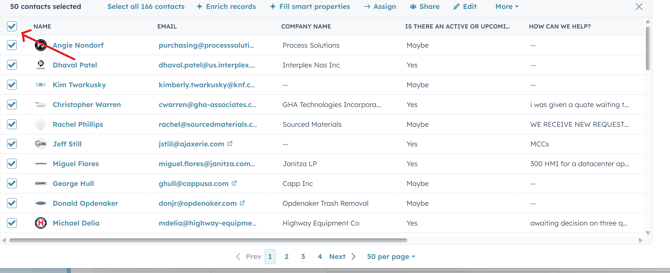
Step 5: Click "More" on the menu that pops up after checking all the contacts.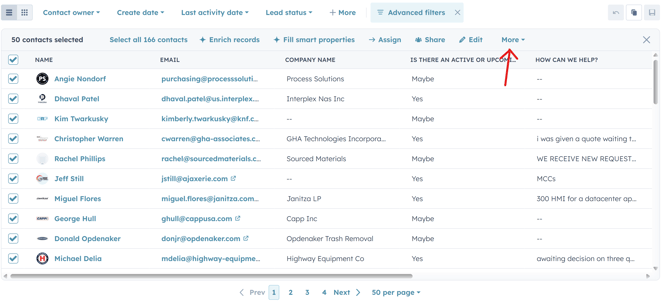
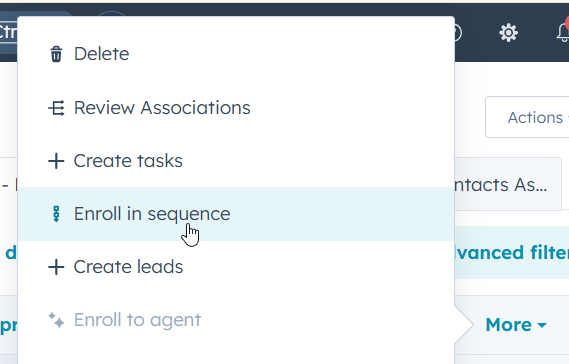
Step 6: Click "Enroll in Sequence"
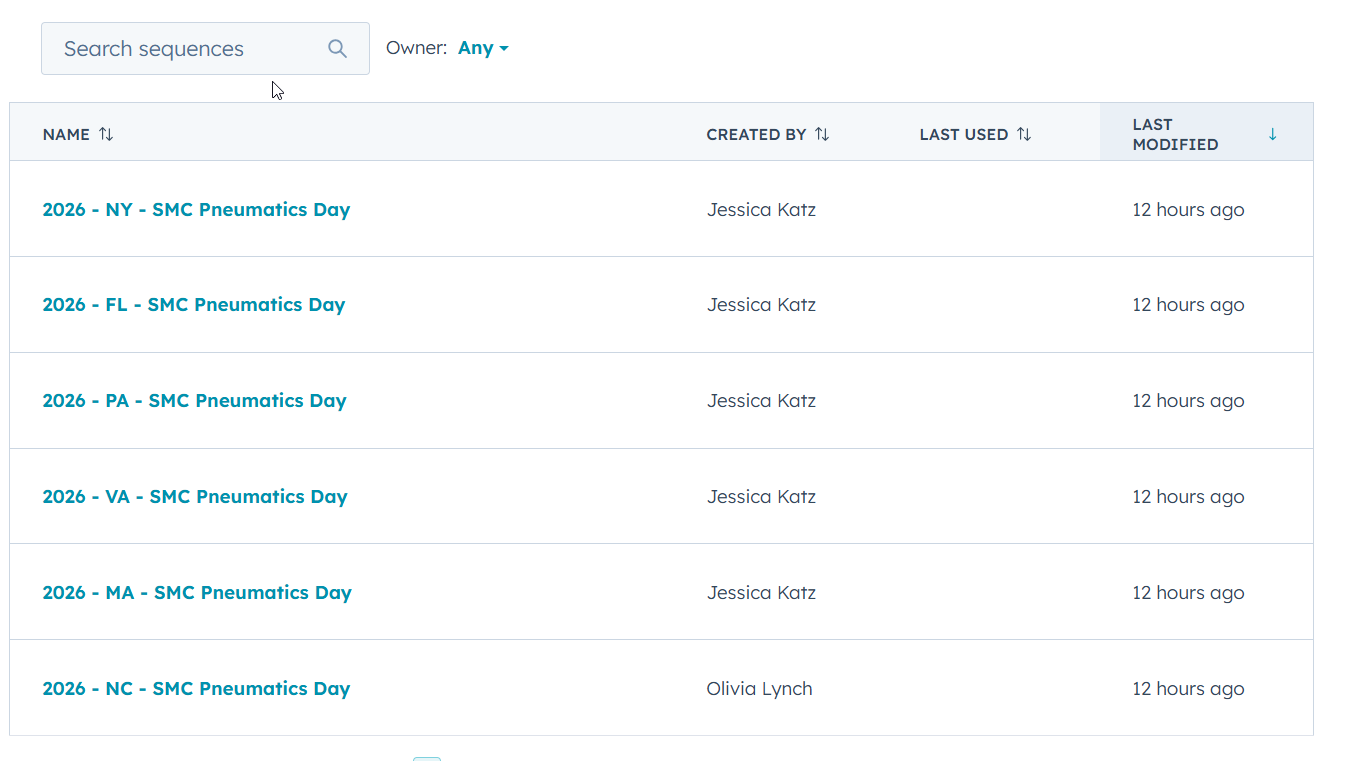
Step 7: Make sure the Owner is set to "Any" and select the sequence you want to send. The search bar helps
[If a screen pops up that contacts have unsubscribed and cannot be enrolled, hit the orange button to continue]
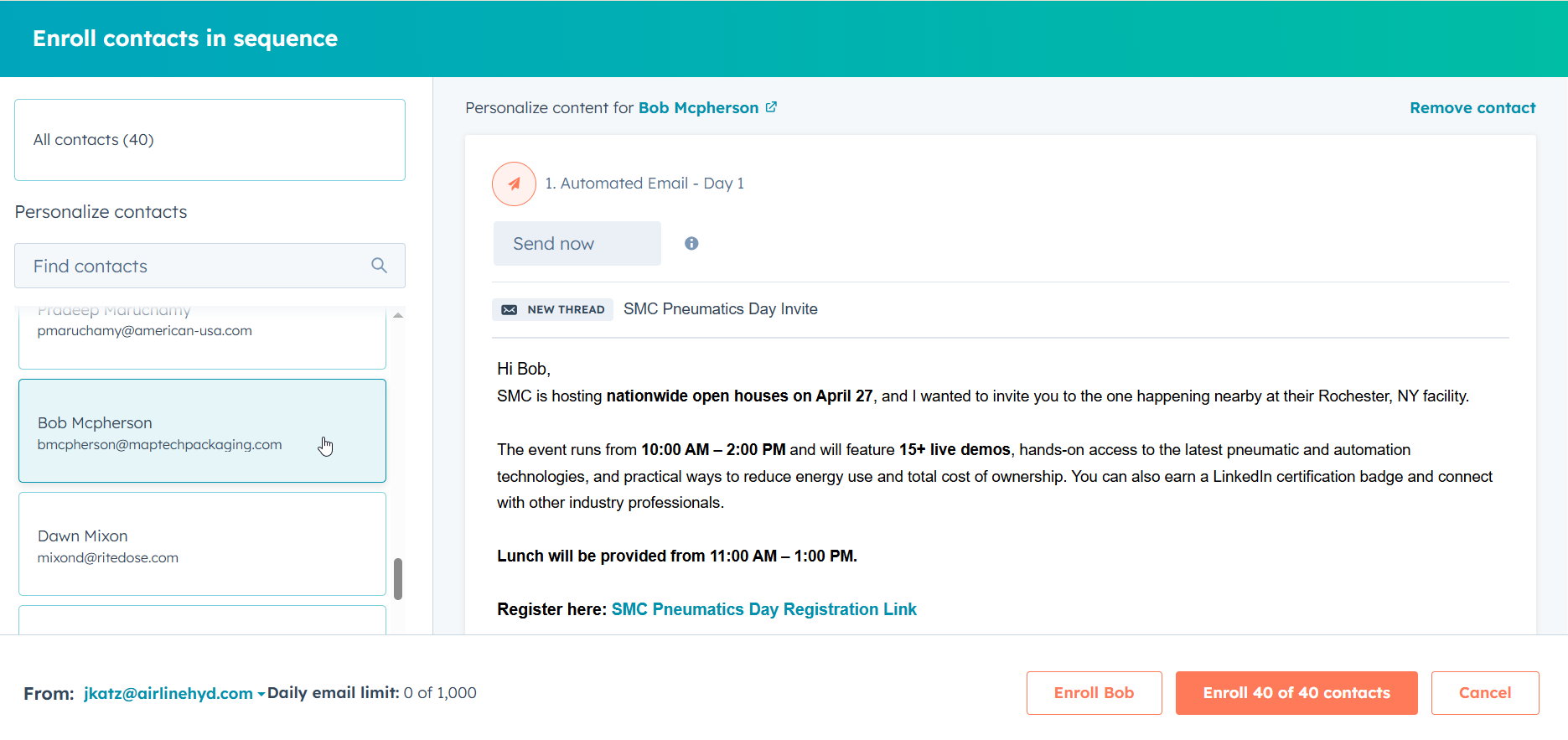
Step 8: Review and Send!
Preview contacts who will be enrolled by selecting their name in the left-hand list. Feel free to customize their emails. If their first name is unknown, you can change the greeting to "Good morning" or "Good afternoon." You can remove contacts from the sequence send by clicking "Remove contact" in the top right corner.
Review that any used first-names are not sticking out as unusual (like no one's name is Billing, a single letter, etc.). To correct people's names you can click their linked name to open their profile and change their name in HubSpot.
Once everything looks good, click the orange button to send.
Then go to the next tab in your view, and do it all over again until everyone has been sent the sequence :)